
Smart Scheduling
Find a time that works for your group — without the group chat.
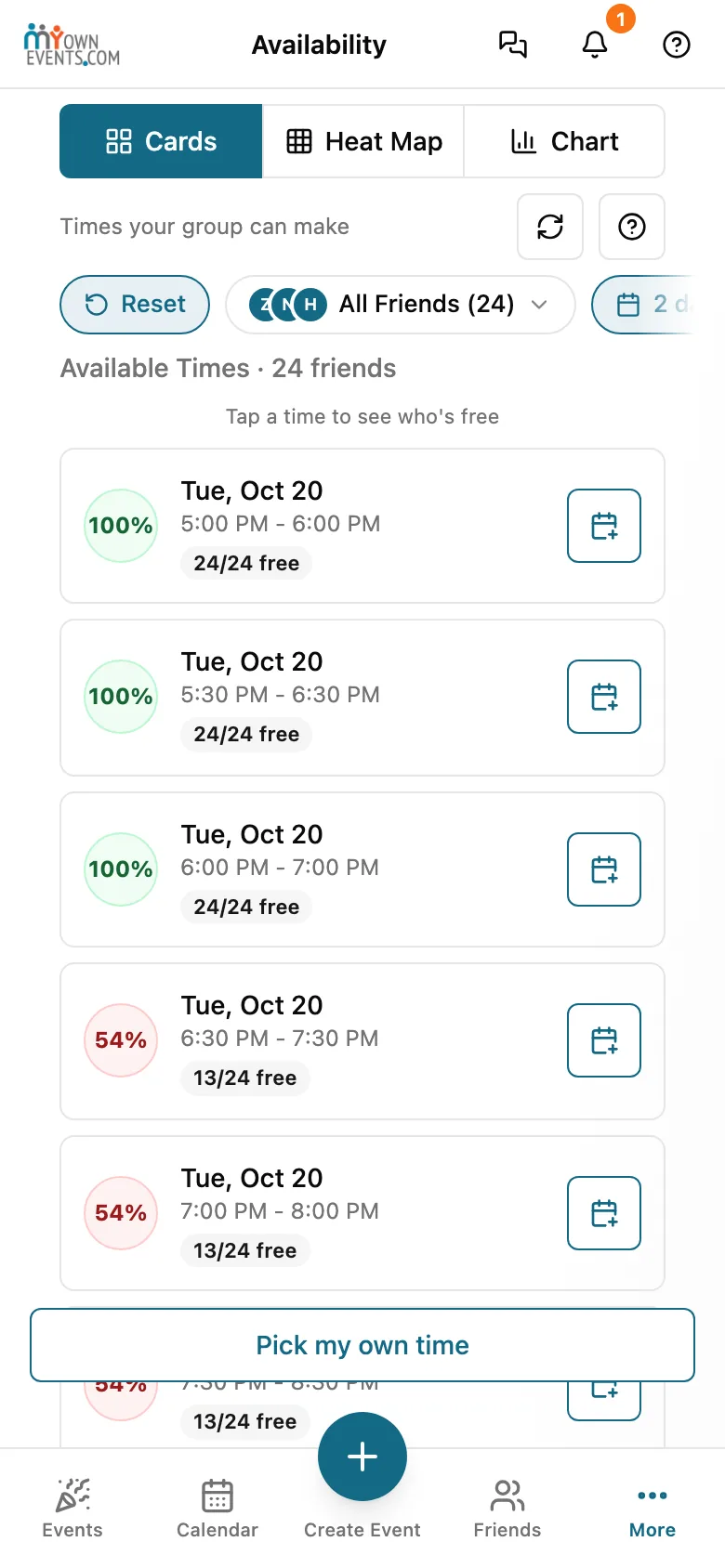
Pick who's coming and MyOwnEvents ranks the times most of them are free, from their connected calendars and plans already on MyOwnEvents. You see the options. You choose the night.
How it works
Pick who's coming
Choose friends, a group, or both.
See the best times
Ranked by how many can make it.
Lock it in
Choose one and it goes straight into your event.
Finding a time everyone can make usually means a dozen messages and a spreadsheet. MyOwnEvents does it instantly: pick who’s coming and we rank the times that work best for the group.
- You see free/busy, never the details. The timeline shows when each friend is free or busy; the Cards and Heat Map views show aggregated counts like “8 of 10 free.” Across all of them, you never see event titles, who they’re with, or where they are.
- Scheduling runs on our servers using free/busy status only. The event details behind it — titles, guests, and locations — never leave your account and are never shown to other members; titles stay hidden unless you choose to share them.
Nobody ever sees your calendar — only whether you’re free or busy
Across every MyOwnEvents feature, your event titles, your guests, and your locations stay private. When we help you and your friends find a time, others see only whether you are free or busy — never the event details behind it. Your raw calendar events are never sold, never used for ads, and never sent to AI. Our scheduling assistant uses only the overall picture (like how many invitees are free at a given time) to suggest times — and that is never used to train AI models.
Explore more features
AI Event Assistant
Describe your event in plain English — our AI drafts the rest.
Google & Apple Calendar Sync
Connect Google or Apple once — stay in sync, no double-booking.
Poll the Crowd
No date yet? Offer a few days and let your guests weigh in.
Sell Tickets & Tip Jar/Fee Free Payments
Host paid events or accept tips — money goes straight to you.
Split the Cost
Share what an event costs — MyOwnEvents takes nothing.
SMS & Smart Reminders
Never miss the moment that matters — by text.
Discover Events Near You
Find what’s happening around you — and RSVP in a tap.
Invite Anyone — No Account Needed
Invite friends by email or text — they RSVP without signing up.
Recurring Events
Set it once — your weekly game night runs itself.
Waitlists That Auto-Promote
Full event? Guests wait in line and get promoted automatically.
Group & Event Chat
Coordinate without leaving the app — or the group text.
Meet New People
Going solo or new in town? Meet people who like what you like.
Singles Events
Meet other singles at small, real-life events hosted by trusted members.
Surprise Parties
Plan the surprise without the guest of honor finding out.
Big Events Near You
Concerts, games and shows nearby, and friends to go with.